
Check-MIG Colombia: Is It Still Required in 2026, and How to Fill It Out in About Five Minutes
By Shawn Hiner Leamon, CEO of Safe Transfers Colombia. Our team meets travelers inside the arrivals halls of El Dorado and José María Córdova every day. Checked against Migración Colombia’s official pages on 21 October 2026.
Short answer. Check-MIG is Migración Colombia’s free online pre-registration for travelers entering or leaving Colombia by air. As of 21 October 2026, Migración Colombia’s own service page describes it as a free online service “de uso no obligatorio” — not mandatory — and still recommends it because it shortens the immigration interview. You fill it in between 72 hours and 1 hour before your flight, only at apps.migracioncolombia.gov.co/pre-registro, and you never pay anyone for it. Our advice: do it. It takes about five minutes, it is free, and it saves you an argument at the check-in counter.
Open the official Check-MIG form

Is Check-MIG required in 2026?
Not by Migración Colombia. Its service page lists Check-MIG as “Servicio gratuito y en línea, de uso no obligatorio”: a free, online service whose use is not compulsory, for “viajeros nacionales y extranjeros que ingresen o salgan de Colombia por los puestos de control migratorio”. We checked that wording on 21 October 2026 and will keep checking it; the date at the top of this page is the last time we did.
The “not required” answer comes with caveats:
- Airlines may still ask. Some airlines’ websites (Frontier’s, for one) still describe Check-MIG as a requirement for Colombia, and a check-in agent follows the airline’s own document checklist, not Migración Colombia’s web page. A confirmation on your phone ends that discussion in one second.
- Older sources say “mandatory”. Check-MIG was launched in September 2020 as a compulsory step, was briefly suspended in October 2022, stopped being required at land border posts in January 2023, and is now listed as voluntary for everyone. Articles, videos and forum threads from the mandatory years are still everywhere.
- It is faster with it than without it. The officer at the booth already has your flight, address and reason for travel on screen. That is the whole point of the system, and the reason Migración Colombia still promotes it.
Nobody can refuse you boarding or entry for not having it, according to the authority that runs it. Do it anyway: it costs nothing and it shortens the line at both airports.
Who should fill it out
Everyone traveling by air into or out of Colombia, Colombian or foreign, resident or tourist. The registration is per person, not per booking: a family of four makes four registrations, and an adult completes the form for a child. You need one registration for your arrival and a separate one for your departure; the arrival record does not cover the flight home.
If you cross into Colombia by land, you do not need it. Migración Colombia stopped asking for Check-MIG at all land border posts in January 2023.
When to do it
The window is fixed by Migración Colombia: from 72 hours before your trip until one hour before it. Inside that window, the best moment is 24 to 48 hours before departure, when your flight number, seat and hotel are final and you still have time to redo the form if something goes wrong. Leave it until the taxi to the airport and you risk a slow connection, a typo you cannot correct, and a counter agent waiting.
What you need before you start
- Your passport (or cédula for Colombian citizens). Have the document in front of you and copy the number character by character.
- Airline and flight number, date, and the direction of travel (into or out of Colombia).
- The Colombian airport where you will go through immigration. The form calls this the Puesto de Control Migratorio, or PCM.
- The address of your first night’s accommodation in Colombia (for arrivals) and a contact telephone number.
- An email address you can open on your phone. The confirmation goes there.
- Your reason for travel (tourism, business, study, family and so on). The form also asks a short health question.
How to fill out Check-MIG, step by step
Migración Colombia’s own instructions list five steps. Here is what each one looks like on screen, with the points where travelers get stuck.
1. Open the official site and pick your language. Go to apps.migracioncolombia.gov.co/pre-registro and choose Español, English or Français at the top. The only official address is on the migracioncolombia.gov.co domain. If you arrived at a page that asks for a card number, you are on a lookalike site; close it.
2. Accept the data notice and press “Do Checkmig”. The notice explains that Migración Colombia uses your data for identity verification and migration control, and that biometric processing (Biomig, see below) is voluntary. Tick the box and continue. Returning travelers can instead press “I am a frequent traveler” and sign in to reuse their saved details.
3. Choose entry or exit, and your means of transport. “Entry” is a flight into Colombia; “exit” is a flight out. Pick “commercial flight” unless you are on a private aircraft. Travelers heading home sometimes reopen their arrival form and change nothing: the departure needs its own registration with “exit” selected.
4. Choose the Puesto de Control Migratorio. This is the airport where an officer will stamp your passport, not necessarily your final destination. If your international flight lands in Bogotá and you continue on a domestic flight to Medellín, Cartagena or Cali, you clear immigration in Bogotá, so the PCM is El Dorado. If you fly straight into Medellín from abroad, it is José María Córdova.
5. Enter your document and personal details. Nationality, document type and number, names exactly as printed, date of birth, sex, contact email and phone. The two classic errors are the letter O typed for the digit 0 in a passport number, and a date typed in the wrong order: the date format follows the language you chose on the first screen.
6. Enter the flight and the trip. Airline, flight number, travel date, the country you are arriving from (or going to), the reason for travel and the address where you will stay. “Origin country” is the country your flight to Colombia departs from, not your nationality.
7. Review, then submit. Read every field once more before you press send. Migración Colombia states that the form cannot be edited once submitted; if you find an error afterwards, you simply make a new registration, which is also free.
8. Save the confirmation. It arrives by email almost immediately. Keep it on your phone and, if you like, print it. If nothing arrives within a few minutes, check spam, then use “Check and download” on the start page to retrieve the record with your document number.
Open the official Check-MIG form
The fields that cause the most mistakes
| Field | What to put | Where people go wrong |
|---|---|---|
| Puesto de Control Migratorio | The Colombian airport where you clear immigration | Choosing the final destination after a domestic connection; choosing the departure airport abroad |
| Document number | Exactly as printed in the passport | 0 and O; I and 1; a space the passport does not have |
| Date of birth and travel date | In the order the form shows for your language | Day and month swapped after switching language mid-form |
| Flight number | Airline code plus number, as on your ticket (for example AV 21) | Typing the booking reference instead of the flight number |
| Origin or destination country | The country your flight to Colombia leaves from, or the country your flight out of Colombia goes to | Entering your nationality |
| Accommodation | Hotel name and street address of your first night | Leaving it blank because the hotel is “not booked yet”: enter the one you will most likely use |
| Entry or exit | One registration per direction | Reusing the arrival form for the flight home |
Common problems and how to fix them
A site asked me to pay. Close it. Migración Colombia repeats, in its own words, “Check-MIG es completamente gratuito” and can only be completed on its official site. Paid “assistance” services sell you a form you can fill in yourself in five minutes, and you hand your passport and card details to a stranger to do it.
The confirmation email never came. Check the spam and promotions folders first. Then open the start page and use “Check and download” with your document type and number; the record can be downloaded directly from the system.
I made a mistake. The form cannot be edited. Make a new registration with the correct data and keep that confirmation; there is no charge.
The site is slow or shows an error. This is common in the hour before big evening departures. Try another browser, switch between Wi-Fi and mobile data, turn off your browser’s automatic translation, and try again. If you are inside the one-hour limit, stop: go to the counter with your passport and let the officer do it the normal way.
I am inside the one-hour limit. The form closes. You can still travel; immigration simply takes a little longer at the booth.
My flight changed. Flight number, date or airport changed: make a new registration. A changed seat or terminal does not matter.
Biomig: the biometric lanes
Biomig is Migración Colombia’s biometric fast lane, separate from Check-MIG, available at El Dorado (Bogotá), José María Córdova (Medellín), Rafael Núñez (Cartagena), Alfonso Bonilla Aragón (Cali), Ernesto Cortissoz (Barranquilla) and Matecaña (Pereira). The regular service is free and voluntary. Colombians aged 12 and over enroll once at an airport point and can then use the gates to enter and leave. Foreign visitors do not need to enroll: Migración Colombia states that foreigners can use the service when leaving Colombia, without prior registration, and only for departure. A paid “VIP” tier exists for Colombians and foreign residents with a valid visa. When you see the Biomig gates at departures and the line at the booths is long, ask the officer at the lane whether you qualify.
What happens when you land
Immigration comes first: the officer scans your passport, may glance at your Check-MIG confirmation, asks the usual questions and stamps you in. Then baggage, then customs, then the doors into the arrivals hall. At El Dorado, in our experience, that walk takes anything from 20 minutes to well over an hour at peak times, and the slow part is almost always the immigration line, not the bags: when two or three international flights land together the booths back up, and the Check-MIG confirmation is the one thing that shortens your own turn at the window. Our hosts stand just past the sliding doors where arriving passengers come out into the public hall, at both airports. José María Córdova is a smaller terminal, but the city is a 45-to-60-minute drive down the mountain.
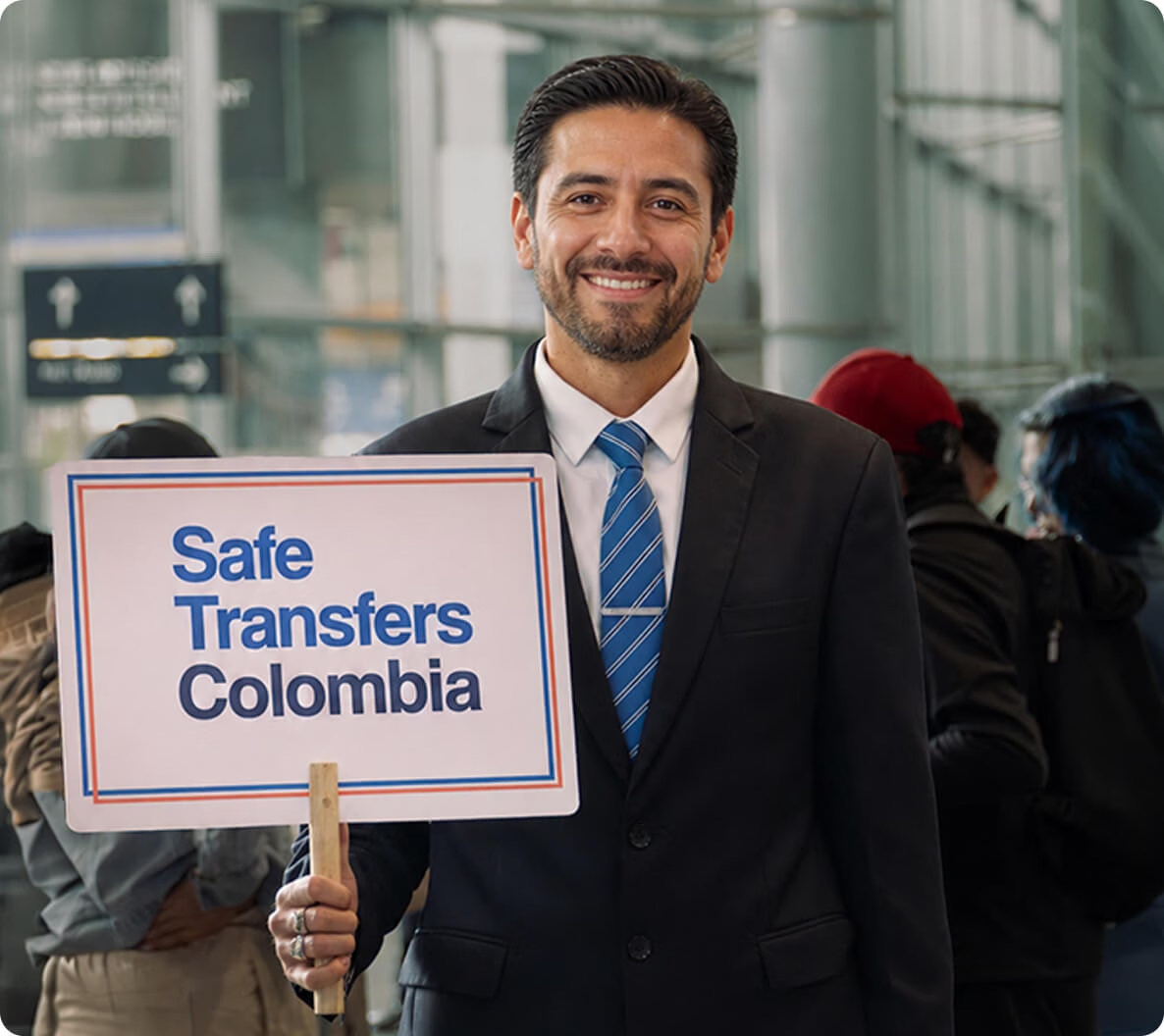
If you have booked a Bogotá airport transfer or a Medellín airport transfer with us, nothing about that wait is your problem. Your flight is tracked, the pickup moves with your actual landing time, and your host is standing inside the arrivals hall with your name on a Safe Transfers sign. You receive a confirmation the day before with your driver’s name, photo and plate, and a message the moment your driver is on site. Fixed price per vehicle from $49, paid online, with free cancellation up to 24 hours before pickup. 1,200+ reviews across Safe Transfers & Cielo.Travel.
For the layout of each airport, where the taxi ranks and the Combuses stop are, and what the ride into the city costs by every means, see our El Dorado airport guide and José María Córdova airport guide.
Flying out of Colombia

Make the exit registration inside the same 72-hour window. Then give yourself time: the El Dorado operator recommends arriving two hours before a domestic flight and three before an international one, and Bogotá’s Calle 26 adds its own variable at rush hour. Immigration on departure has Biomig gates for those who qualify and the usual booths for everyone else. If you want the ride to the airport taken care of too, message us on WhatsApp and we will confirm a car and a pickup time that gets you there with margin.
Check-MIG FAQ
Do I need Check-MIG to go to Colombia?
Migración Colombia lists it as not mandatory. Airlines may still ask for it, and it speeds up immigration, so we recommend doing it for every flight in and out.
Is Check-MIG free?
Yes, completely. Any site that charges for it is not Migración Colombia.
Is there a Check-MIG app?
There is no separate app to download. The form is a website, apps.migracioncolombia.gov.co/pre-registro, that works in a phone browser.
How far in advance can I do it?
From 72 hours before the trip until one hour before.
How do I fill it out for leaving Colombia?
Same form, choose “exit”, pick the Colombian airport you depart from as the control post, and enter the country you are flying to as the destination.
What happens if I don’t do it?
According to Migración Colombia, nothing formal: the service is voluntary. In practice you may be asked about it at check-in and your immigration interview takes longer.
Can I correct a mistake?
No. Submit a new registration with the right data.
Do children need it?
The registration is per traveler. Complete one for each child, as the accompanying adult.
Does Check-MIG replace a visa or an entry stamp?
No. It is a pre-registration of your trip. Your nationality’s visa rules and the officer’s decision at the booth are separate.
I did Check-MIG for my arrival. Does it cover my flight home?
No. Make a second registration with “exit” selected.
Where do I find the confirmation again?
“Check and download” on the start page, with your document type and number.
Does a Check-MIG confirmation guarantee entry?
No. Admission is decided by the immigration officer. The form only makes that conversation shorter.


